

 Nov-16-2026
Intraday trading requires traders to monitor price movements and manage their positions within a single trading session.
A trader may enter a position expecting the price to move favourably, but the market can reverse unexpectedly.
To manage such situations, some trading platforms offer advanced order-placement features that combine an entry order with predefined profit-taking and stop-loss instructions.
One such feature is known as a Robo Order.
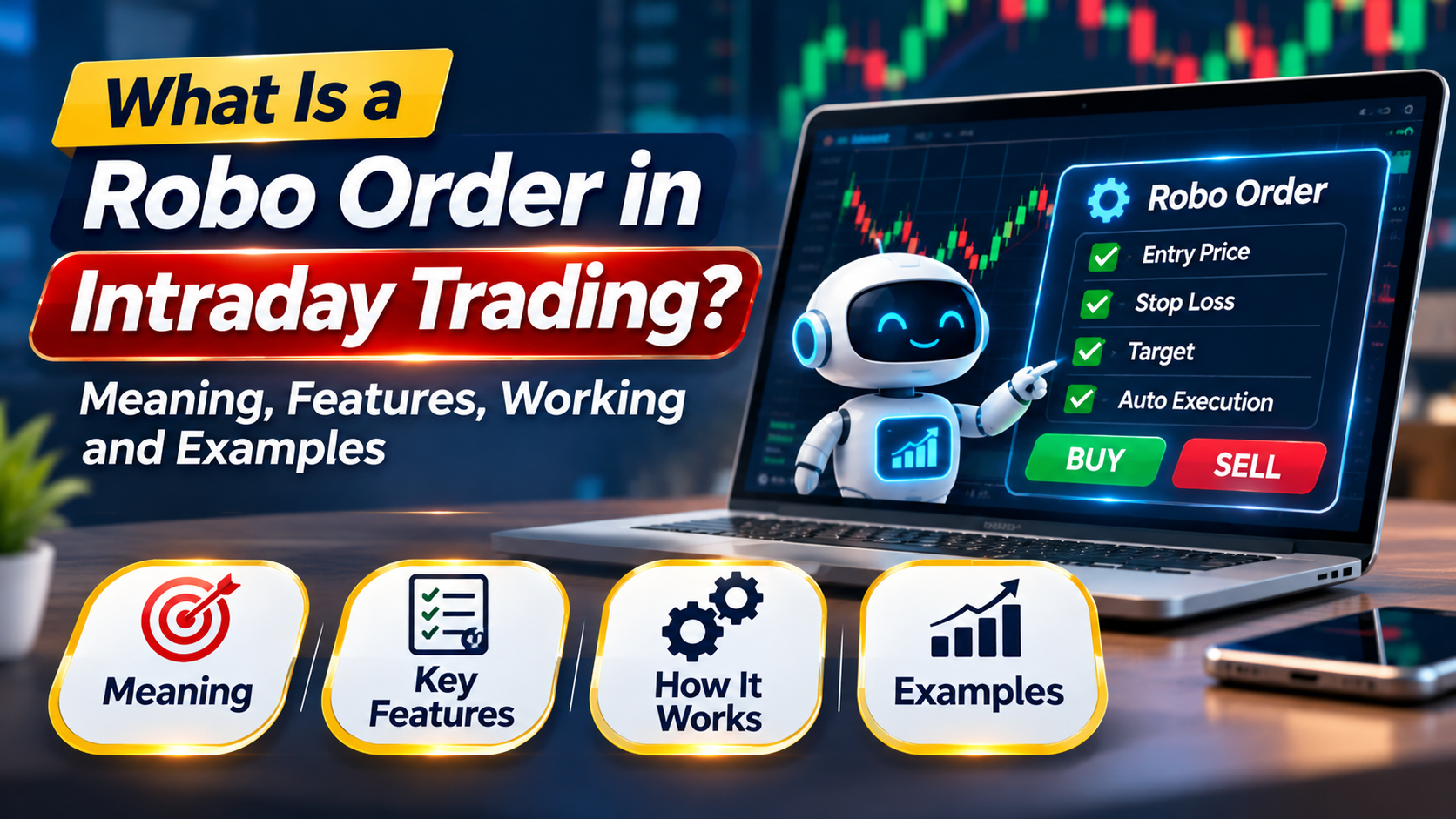
A Robo Order is a type of multi-leg trading instruction that can combine an initial buy or sell order with a profit target and a stop-loss order.
Depending on the trading platform, it may also provide a trailing stop-loss facility.
The objective is to help traders plan their exits when entering a position rather than making every decision manually after the trade is executed.
However, Robo Orders do not predict market movements or guarantee profits.
Their availability, permitted order types and execution behaviour depend on the broker's platform and applicable exchange requirements.
A Robo Order is a broker-defined advanced order feature that allows traders to specify multiple related trading instructions.
A typical Robo Order structure contains three components:
Entry Order: The initial order used to establish a trading position.
Profit Target Order: An exit instruction intended to close the position if the market reaches a favourable price.
Stop-Loss Order: An exit instruction intended to limit losses if the market moves against the position.
The target and stop-loss instructions are linked to the original position according to the broker's order-management logic.
For example, a trader may want to buy a stock at ₹500, book profits at ₹520 and exit if the price falls towards ₹490.
Instead of entering and monitoring three unrelated orders, a supported Robo Order feature may allow the trader to configure these conditions together.
A multi-leg order contains more than one related instruction or component.
In the context of a Robo Order, the components generally represent entry and exit instructions for the same trading position.
The structure can be illustrated as follows:
Entry Order → Position Opened → Target or Stop-Loss Exit
The exit instructions are linked through the broker's order-management system.
When one exit is successfully completed, the system is generally designed to cancel or adjust the alternative exit instruction.
The exact sequence depends on the platform, order status and quantity executed.
It is important to understand that the term multi-leg order is also used in derivatives markets for combinations involving different option or futures contracts. A Robo Order is not necessarily the same as a multi-contract derivatives strategy.
A typical Robo Order follows several stages.
The trader selects an eligible stock or other supported instrument.
Availability depends on the broker's platform and segment.
The trader decides whether to establish a long or short intraday position.
The initial order may be placed using a supported order type.
For example, a trader may specify a limit buy order at ₹500.
The trader identifies the price at which they intend to book profits.
For example, the target may be ₹520.
The trader defines a price level intended to limit downside exposure.
For example, the stop-loss trigger may be ₹490.
The platform processes the linked instructions according to its supported workflow.
After the entry is executed, the linked exit instructions may become active.
If the profit target is executed, the corresponding stop-loss instruction is generally cancelled or adjusted.
If the stop-loss exit is executed, the target instruction is generally cancelled or adjusted.
This linked-exit mechanism is commonly associated with One-Cancels-the-Other (OCO) functionality.
Cancellation is not instantaneous in every circumstance, and traders must monitor partial fills, rejections and order status.
Suppose a trader expects a stock to rise during the trading session.
The trader configures the following hypothetical order:
| Particulars | Value |
|---|---|
| Entry price | ₹500 |
| Quantity | 100 shares |
| Profit target | ₹520 |
| Stop-loss trigger | ₹490 |
| Planned risk per share | ₹10 |
| Planned reward per share | ₹20 |
| Risk-reward ratio | 1:2 |
The trader buys 100 shares at ₹500.
The stock price rises to ₹520.
If the target exit executes at ₹520, the gross profit is:
(₹520 − ₹500) × 100 = ₹2,000
The system is expected to cancel the remaining stop-loss instruction according to the platform's linked-order rules.
The trader buys 100 shares at ₹500.
The stock price falls towards ₹490.
If the stop-loss exit executes at ₹490, the gross loss is:
(₹500 − ₹490) × 100 = ₹1,000
The system is expected to cancel the remaining target instruction after the relevant exit is completed.
If neither the target nor the stop-loss condition results in a completed exit, the position remains subject to the broker's intraday square-off rules and other applicable conditions.
The trader should not assume that the system will always close the position at the desired price.
These examples exclude brokerage, taxes, slippage and other charges.
Robo Orders may also support intraday short-selling arrangements where permitted.
Suppose a trader expects a stock's price to decline.
The planned trade is:
| Particulars | Value |
|---|---|
| Entry sell price | ₹800 |
| Quantity | 50 shares |
| Profit target | ₹780 |
| Stop-loss trigger | ₹810 |
| Planned risk per share | ₹10 |
| Planned reward per share | ₹20 |
For a short position, the target and stop-loss exits are buy instructions.
The trader may buy back the shares at ₹780.
Illustrative gross profit:
(₹800 − ₹780) × 50 = ₹1,000
The trader may buy back the shares at ₹810.
Illustrative gross loss:
(₹810 − ₹800) × 50 = ₹500
The actual outcome depends on the execution price and applicable costs.
A trailing stop-loss is an exit mechanism that adjusts the stop-loss level when the market moves favourably.
For a long position, a trailing stop generally moves upward as the price rises.
For a short position, it generally moves downward as the price falls.
A trailing stop is intended to help traders retain exposure to favourable price movements while managing the risk of a reversal.
Suppose a trader buys a stock at ₹500.
The initial stop-loss is ₹490.
The trader uses a hypothetical trailing mechanism that maintains a ₹10 distance below the highest favourable price reached after activation.
| Highest Price Reached | Illustrative Trailing Stop |
|---|---|
| ₹500 | ₹490 |
| ₹505 | ₹495 |
| ₹510 | ₹500 |
| ₹520 | ₹510 |
| ₹530 | ₹520 |
If the price subsequently falls, the trailing stop ordinarily does not move downward for a long position.
However, brokers may implement trailing functionality using fixed increments, percentage distances or other rules.
Traders must verify the exact method supported by their platform.
| Basis | Fixed Stop-Loss | Trailing Stop-Loss |
|---|---|---|
| Stop level | Remains at the predefined level unless modified | Adjusts after favourable price movement |
| Main purpose | Define intended downside risk | Manage risk as a position moves favourably |
| Suitable context | Trades requiring a fixed invalidation level | Trades following favourable momentum |
| Advantage | Simple and predictable instruction | Can help protect part of unrealised gains |
| Limitation | Does not automatically follow profits | Can trigger during temporary pullbacks |
Neither method guarantees execution at the specified price.
OCO stands for One Cancels the Other.
It refers to an arrangement in which two related orders are linked so that execution of one causes the other to be cancelled or adjusted.
For example, after a long position is opened, a trader may have:
A sell order at the profit target.
A sell stop-loss instruction below the entry price.
If the target exit is fully executed, the platform is designed to cancel the remaining stop-loss instruction.
If the stop-loss exit is fully executed, the platform is designed to cancel the target instruction.
OCO functionality is intended to prevent conflicting exits from remaining active after the position is closed.
However, partial execution, rapid market movements, order rejections and communication delays can complicate this process.
The trader remains responsible for monitoring open orders and positions.
A Robo Order allows traders to define important trading levels before entering the position.
Stop-loss instructions can help establish a planned downside limit.
Linked orders may reduce the need to place every exit instruction separately.
Predefined instructions can reduce the temptation to change trading decisions impulsively.
Where supported, trailing stops can adjust the exit level as the market moves favourably.
Traders can assess potential profit and loss before committing capital.
Linked exit instructions can simplify aspects of position management.
These benefits depend on the broker's implementation and do not remove the need for active oversight.
A stop-loss trigger does not guarantee execution at the trigger price.
An exit order may be rejected because of applicable exchange restrictions, price limits, margin conditions or other operational reasons.
An order may execute only partly, requiring corresponding adjustments to linked exit instructions.
The feature depends on the broker's technology and order-management systems.
Sharp price changes may affect execution and cancellation timing.
Some linked-order products are intended only for intraday trading and may not support overnight positions.
Not every broker offers a feature called Robo Order.
Traders may assume that entering a Robo Order removes the need to monitor the position.
In practice, trading risks remain.
A bracket order is another advanced order arrangement that typically combines an entry order with a target and stop-loss.
Robo Orders and bracket orders may share similar features, but their exact functionality depends on the broker.
| Basis | Robo Order | Bracket Order |
|---|---|---|
| General structure | Broker-defined linked multi-leg order | Entry linked with target and stop-loss |
| Profit target | Typically supported | Typically supported |
| Stop-loss | Typically supported | Typically supported |
| Trailing stop-loss | May be available | May be available |
| OCO functionality | Often used | Often used |
| Availability | Broker-specific | Broker-specific |
| Overnight holding | Depends on product rules | Often restricted for intraday variants |
The names should not be treated as interchangeable without checking the broker's documentation.
A cover order generally combines an entry instruction with a compulsory stop-loss instruction.
A Robo Order may additionally include a separate profit target.
| Basis | Robo Order | Cover Order |
|---|---|---|
| Entry instruction | Yes | Yes |
| Stop-loss | Typically included | Typically compulsory |
| Profit target | Typically included | Not necessarily included |
| Trailing facility | Platform-dependent | Platform-dependent |
| Primary purpose | Linked entry and exit planning | Entry with predefined stop-loss |
| Availability | Broker-dependent | Broker-dependent |
| Feature | Regular Order | Robo Order |
|---|---|---|
| Initial buy or sell | Yes | Yes |
| Linked profit target | Not automatically included | Typically supported |
| Linked stop-loss | Requires separate setup unless supported otherwise | Typically supported |
| OCO linkage | Not inherent | Often included |
| Trailing stop-loss | Not inherent | May be available |
| Order management | More manual | More structured, depending on platform |
Not exactly.
A Robo Order generally automates specified order-management instructions, such as placing or managing linked exit orders.
Algorithmic trading is a broader concept in which computer-based logic may determine the timing, price, quantity or other aspects of order placement.
A linked-order feature does not necessarily analyse the market or independently generate trading signals.
Some advanced trading systems may combine algorithmic signals with linked-order management, but these are distinct capabilities.
Any automated trading arrangement must comply with the applicable regulatory and exchange requirements.
The terms sound similar but describe different functions.
Robo Order: A trading-platform feature used to manage linked order instructions.
Robo Advisory: A technology-based service that may help users evaluate investment allocations or portfolio recommendations, subject to the service model and applicable regulations.
A Robo Order does not automatically provide investment advice.
It also does not guarantee that the selected entry, target or stop-loss is appropriate.
Before entering a trade, a trader can compare planned downside risk with potential reward.
Risk-Reward Ratio = Planned Loss ÷ Planned Profit
For a long trade:
Planned Risk = Entry Price − Stop-Loss Price
Planned Reward = Target Price − Entry Price
Suppose:
Entry price: ₹1,000
Stop-loss: ₹985
Target price: ₹1,030
Planned risk:
₹1,000 − ₹985 = ₹15
Planned reward:
₹1,030 − ₹1,000 = ₹30
Risk-reward ratio:
₹15 : ₹30 = 1:2
The trader is targeting ₹2 of potential gross profit for every ₹1 of planned risk.
A favourable risk-reward ratio does not guarantee that the target will be reached.
Position sizing determines how many shares can be traded within a predefined risk budget.
Position Size = Maximum Planned Risk ÷ Risk Per Share
Suppose:
Trading capital: ₹1,00,000
Planned risk budget: ₹1,000
Entry price: ₹250
Stop-loss: ₹245
Risk per share:
₹250 − ₹245 = ₹5
Position size:
₹1,000 ÷ ₹5 = 200 shares
The position's gross market value would be:
200 × ₹250 = ₹50,000
This is a theoretical risk-based calculation.
The trader must also consider available funds, applicable margins, liquidity, brokerage and execution risk.
The actual loss may exceed the planned amount because of slippage or failed execution.
The exact procedure varies by broker.
Where a supported Robo Order feature is available, the process may involve:
Logging in to the trading platform.
Selecting an eligible trading instrument.
Choosing the supported intraday product type.
Selecting the Robo Order or equivalent linked-order feature.
Entering the buy or sell quantity.
Specifying the entry order.
Setting the profit target.
Setting the stop-loss trigger and relevant limit price, if applicable.
Configuring the trailing stop-loss, where supported.
Reviewing margins, charges and order conditions.
Submitting the order.
Monitoring execution, linked orders and open positions.
This is a generic workflow, not a representation of the features currently offered by A.G. Shares & Securities Ltd.
A stop-loss that does not account for ordinary market volatility may be triggered prematurely.
Targets should be based on a trading framework rather than arbitrary expectations.
A partially executed entry may require changes to the linked exit quantities.
A trigger initiates the applicable order process but does not guarantee a specific execution price.
Positions may be subject to broker-defined square-off deadlines.
Linked orders do not make excessive leverage safe.
Unexpected order status or cancellation failures can create unwanted exposure.
Robo Orders may help traders understand structured entry and exit planning.
However, beginners should first understand:
Market and limit orders.
Stop-loss triggers.
Order execution and slippage.
Position sizing.
Risk-reward calculations.
Intraday square-off rules.
Brokerage and statutory charges.
Partial fills and order rejections.
Using an advanced order feature without understanding these concepts can create additional risks.
Before placing a linked multi-leg order, ask:
Does my broker currently support this order type?
Is the selected security eligible?
Is the order permitted in the relevant trading segment?
What is my planned entry price?
What is the profit target?
What is the stop-loss level?
How does the platform handle trailing stops?
How are partial fills managed?
What happens if an exit order is rejected?
What is the intraday square-off deadline?
What are the applicable charges?
How will I verify that the position is fully closed?
A Robo Order is a linked multi-leg order feature that can help intraday traders combine an entry instruction with planned profit-taking and stop-loss exits.
Where supported, trailing stop-loss functionality can provide an additional method of managing favourable price movements.
The main benefit of a Robo Order is structured order management rather than market prediction.
However, execution risks, price volatility, platform failures and liquidity constraints remain important considerations.
Traders should understand the broker's specific order rules, evaluate their risk capacity and monitor positions carefully.
A Robo Order can support disciplined trading, but it cannot guarantee profits or prevent all losses.
A Robo Order is a broker-defined multi-leg order feature that typically links an entry order with profit-target and stop-loss exit instructions.
The trader specifies an entry, target and stop-loss. After the entry executes, the platform manages the linked exits according to its order-management rules.
Yes. In this context, it combines multiple related instructions, generally covering entry and exit management.
Some platforms support both long and short intraday positions, subject to security, segment and broker restrictions.
A trailing stop-loss adjusts the exit level after favourable price movement according to the platform's configured trailing rules.
Both may combine entry, target and stop-loss instructions. Their precise features and availability depend on the broker.
No. A Robo Order generally automates linked order management, while algorithmic trading may automate broader trading decisions and execution logic.
No. Market movement, liquidity, slippage and execution conditions can affect trading outcomes.
The linked stop-loss instruction is generally cancelled or adjusted according to the platform's OCO logic.
Yes. Orders may be rejected, partially filled, delayed or left unexecuted depending on market and system conditions.
No. Robo Order is not a universal order type, and availability depends on the broker and trading platform.
It may be useful for structured trade planning, but beginners should first understand stop-losses, execution risk, position sizing and intraday trading rules.
What is a Robo Order in intraday trading?
Why is a Robo Order called a multi-leg order?
How does a Robo Order work?
What are the components of a Robo Order?
Can Robo Orders be used for buy and sell trades?
What is a trailing stop-loss in a Robo Order?
What is OCO functionality in trading?
What is the difference between Robo Orders and bracket orders?
Is a Robo Order the same as algorithmic trading?
What are the advantages of Robo Orders?
What are the risks of Robo Orders?
Does a Robo Order guarantee profits?
Disclaimer: This article is for educational purposes only and does not constitute investment advice. Securities trading involves market risk. Advanced order features are subject to broker availability, applicable exchange rules and operational conditions. Investors should understand the risks and read relevant documents before trading.